
Appearance
Billing
WebAccess/DMP offers two billing methods for Premium companies:
- Recurring billing — the company is invoiced on a monthly basis for its usage.
- Credit-based billing — a pre-paid alternative where the company tops up credits and usage is drawn from the balance.
The Billing section in the side menu contains Recurring Costs (invoices and billing history) and Credit Management (credit balance and transactions).
Recurring Costs
Premium companies are billed on a monthly basis. Invoices are automatically sent to the Primary Contact email address of the company.
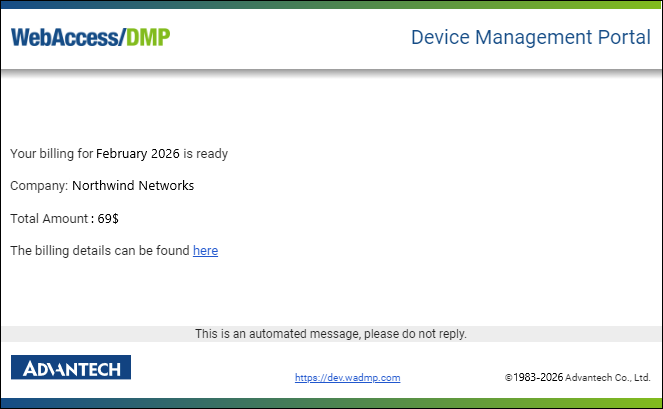
An example billing email is shown below. It contains a summary of the billing period, the total amount, and a link to view the invoice details.
Viewing Billing History
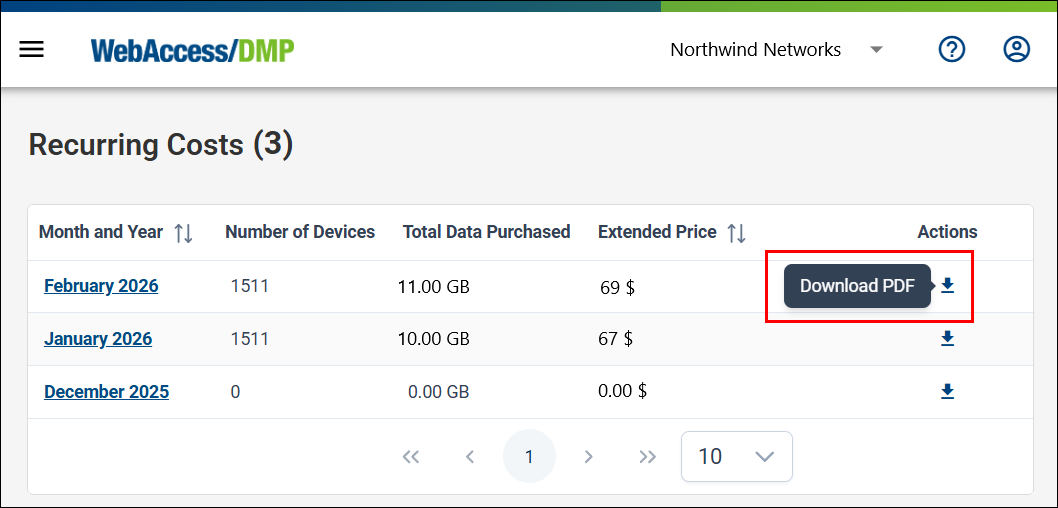
To access Billing → Recurring Costs, you must be in a Root Company context and have the View Billing permission or the Company Admin role. The page displays a list of monthly billing records.
In the Billing Summary List, click a billing entry to view its details, or click the download icon on the right to download it as a PDF.
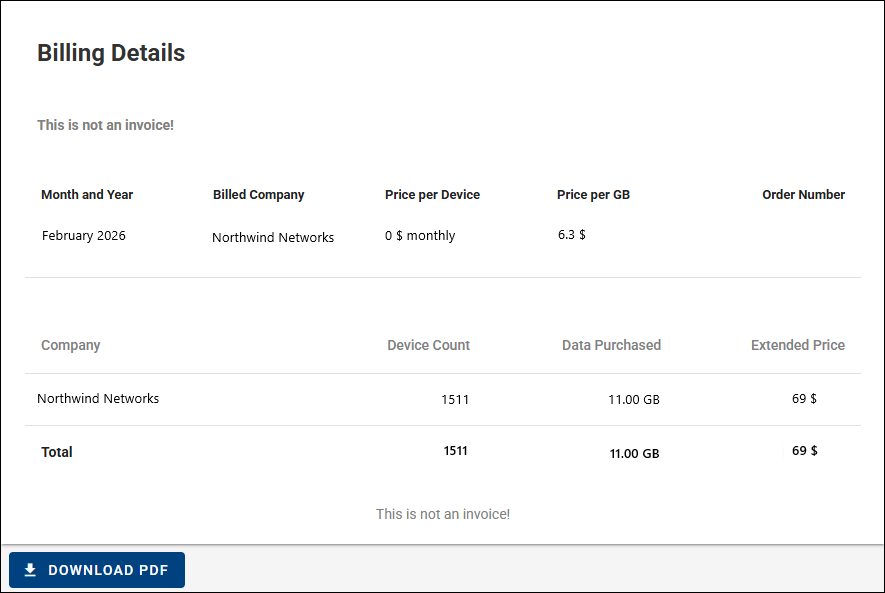
Selecting a billing summary opens the Billing Detail page, where the invoice can also be downloaded as a PDF.
Credit-Based Billing
Credit-based billing is a pre-paid alternative to monthly invoicing. Credits are managed on the Credit Management page (Billing → Credit Management).
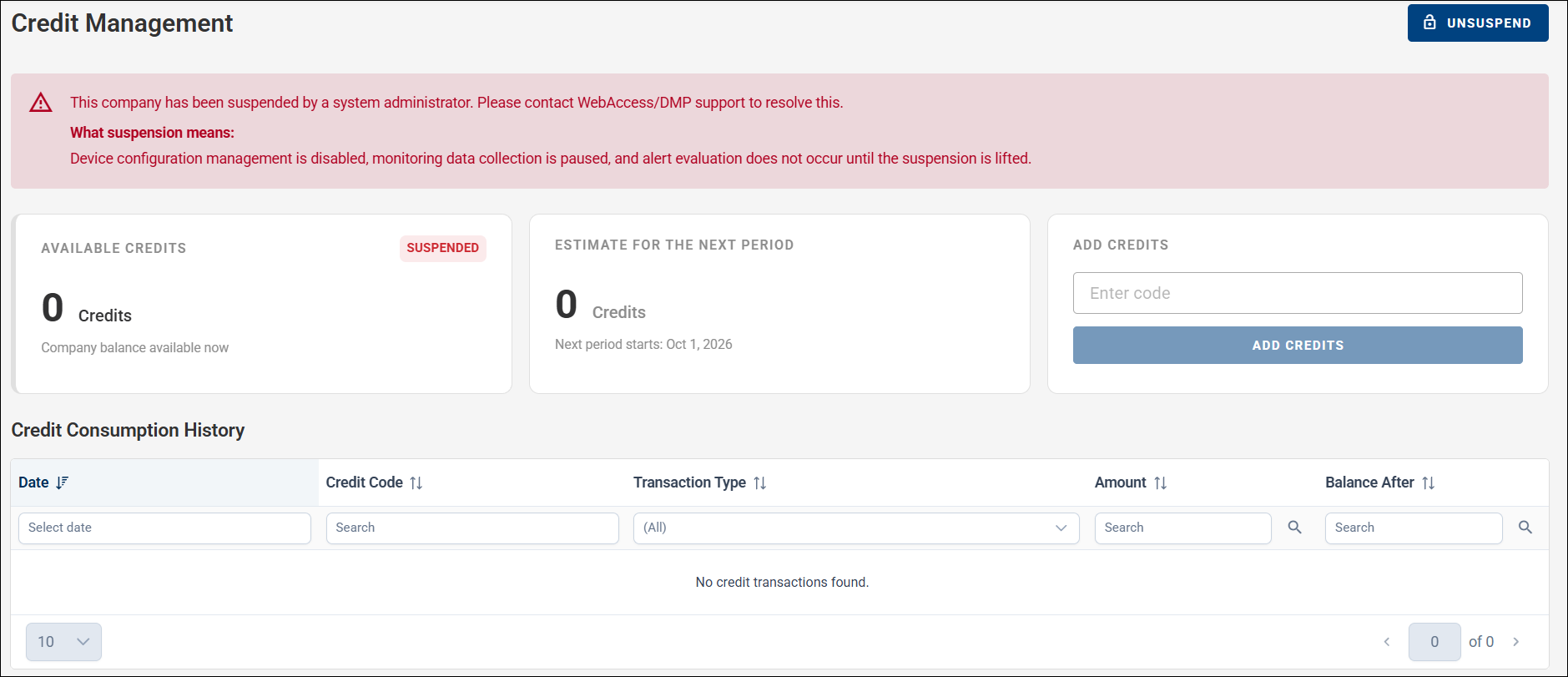
The page shows:
- Available Credits — the company's current credit balance.
- Estimate for the Next Period — the estimated credit cost for the upcoming billing period, together with the date the next period starts.
- Add Credits — top up the balance by entering a credit code.
- Credit Consumption History — a table of credit transactions, showing the date, credit code, transaction type, amount, and the resulting balance.
To add credits, enter a credit code in the Add Credits field and click Add Credits. The balance increases by the value of the code. Credit codes can be purchased on the Purchase Credits page.
Company suspension
A company can be suspended — for example, by a system administrator, or when a credit-based company runs out of credits. While a company is suspended, device configuration management is disabled, monitoring data collection is paused, and alert evaluation does not occur until the suspension is lifted.
A suspension notice is shown in a banner at the top of the interface (next to the company name) and on the Company Profile and Credit Management pages. If the suspension is due to a lack of credits, add credits on the Credit Management page to unsuspend the company yourself; a suspension applied by a system administrator must be resolved with WebAccess/DMP support.
VPN Billing Summary
Premium companies are charged a fixed rate per GB of VPN data and an additional fixed charge per device. A data limit for the entire company hierarchy (including all child companies) is defined on the Recurring Costs page. Each company in the hierarchy can independently purchase additional data (VPN Overview → Buy Data). These purchases count toward the overall data limit and are billed accordingly.
How a VPN data purchase is charged depends on the company's billing method:
- Recurring (invoice) billing — the data is billed as a one-time charge in the month of purchase and remains available until fully consumed; it does not expire at the end of the billing cycle.
- Credit-based billing — the corresponding credits are deducted immediately when the data is purchased.
Roadwarrior VPN users are billed in the same way as devices, with a fixed charge per user.