
Appearance
Overview
The VPN Overview page allows you to view and manage the VPN Hub for your company. Navigate to VPN → Overview from the menu.
VPN Hub Overview
At the top of the page, you can see the current VPN Hub status and manage the hub (start, stop, configure). After VPN initialization, the VPN Hub is started automatically.

Below, key VPN Hub parameters and statistics are displayed:
- VPN Hub Region
- VPN Network
- Addresses per Device
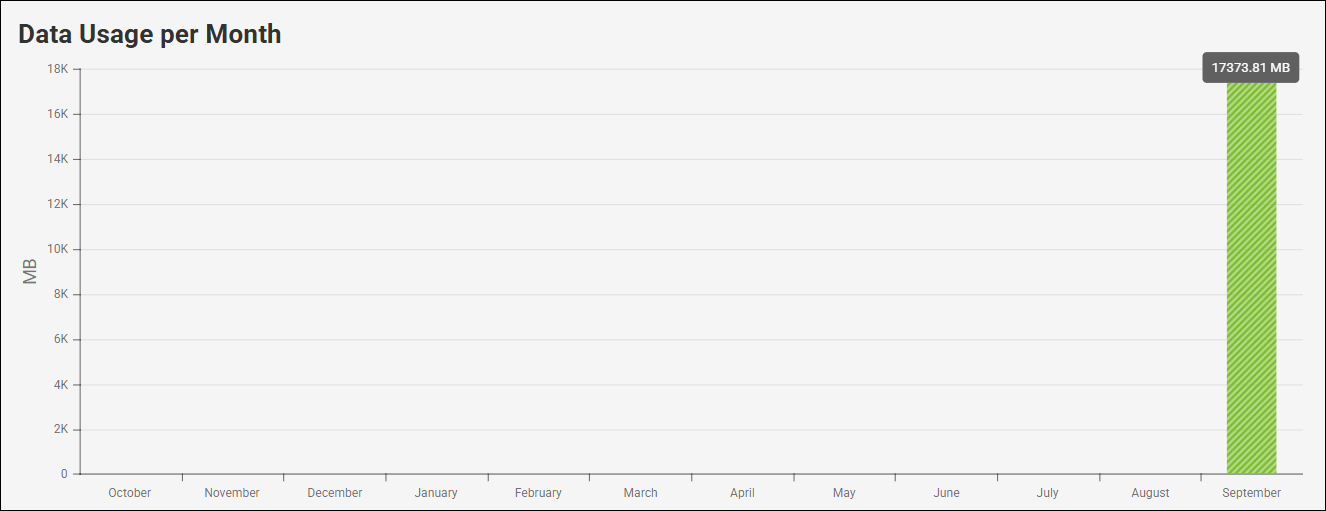
- Data Usage per Month
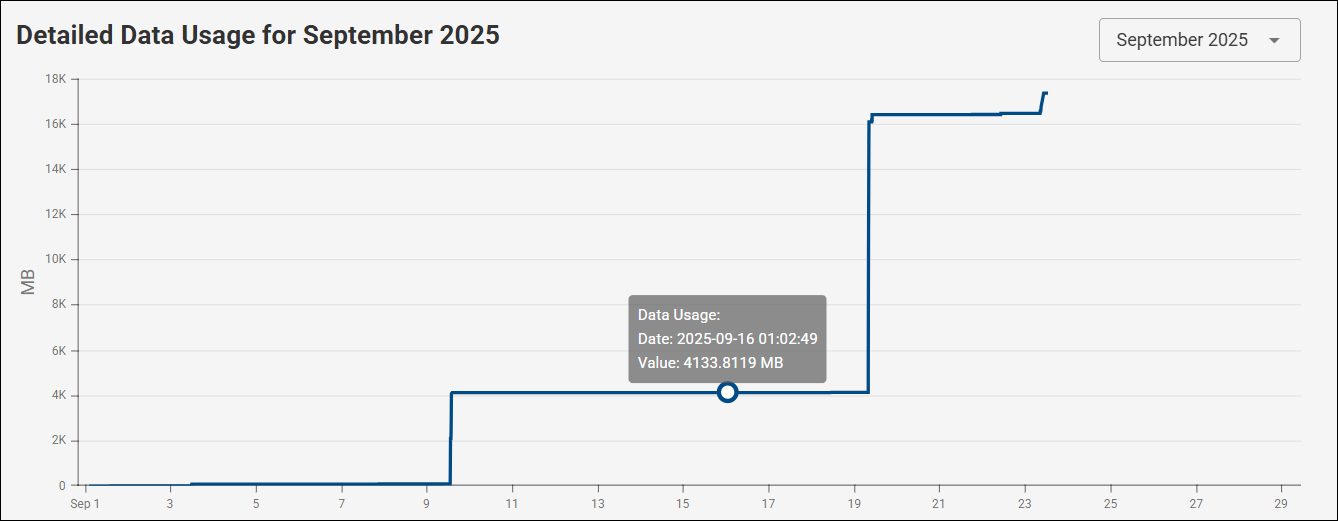
- Detailed Data Usage for the selected month
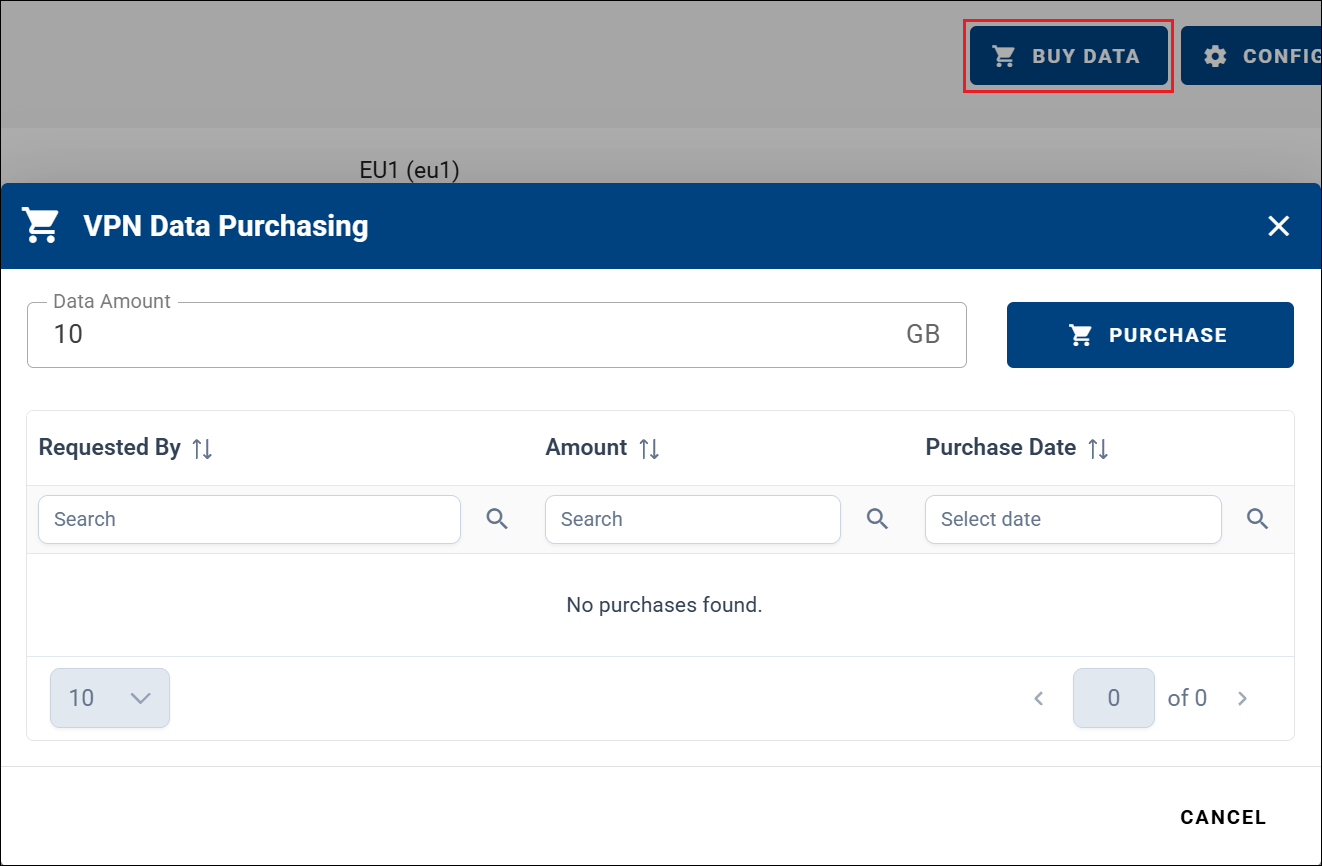
Premium companies do not display the days left indicator and have an additional Buy Data button to purchase more VPN data. For billing details, see VPN Billing Summary.
Data Usage per Month displays total VPN data consumption for each month over the past year.
Detailed Data Usage shows total VPN data consumption for the selected month. Usage is accumulated throughout the month and resets at the beginning of the next month.
VPN Hub Configuration
You can edit the VPN Hub configuration by clicking the CONFIGURATION button and confirming the changes using CONFIRM, as shown below.
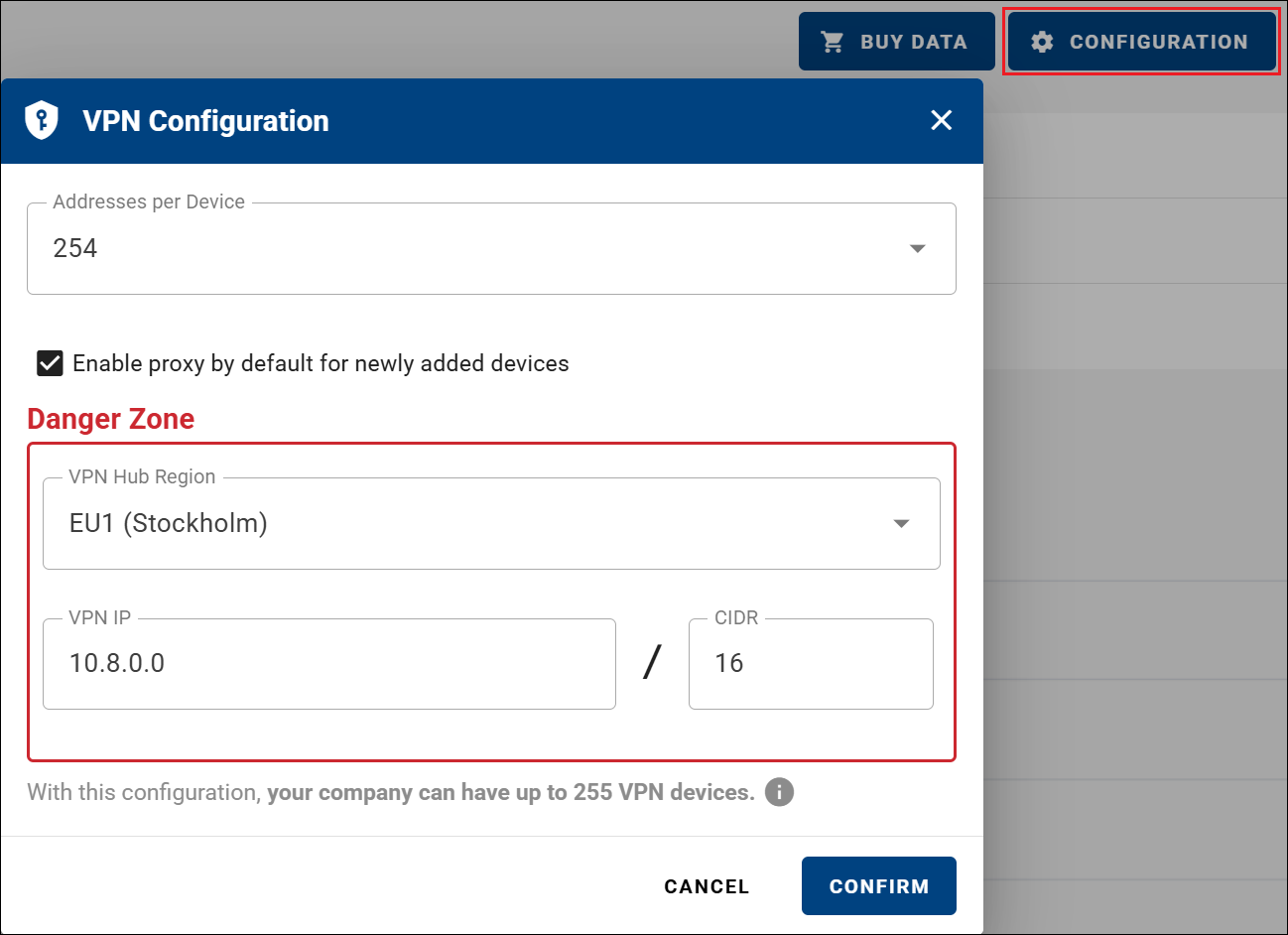
Changes made in the Danger Zone can significantly impact your VPN network. Reconfiguring the VPN may remap device addresses, potentially causing connectivity issues. This may affect:
- Devices connected behind routers.
- Roadwarriors (remote VPN users), who may lose connectivity.
- Existing network settings and inter-device communication.
Because of these potential disruptions, it is strongly recommended to carefully review and update all dependent configurations after making changes in the Danger Zone.
For a detailed explanation of all configuration parameters, see Configure the VPN.
Important
If VPN is initialized for a company, the maximum number of VPN devices (as defined by the VPN configuration) limits only how many devices can be connected to the VPN at the same time. It does not limit the total number of devices that can be added to the company.
VPN Fields
On the dashboard, you can add VPN-related fields to create a dedicated VPN overview. Useful fields include VPN Connection Status, VPN IP Address, VPN Data Usage, Network Role, and others to provide a clear and structured view of VPN status.