
Appearance
Device Management
WebAccess/DMP provides multiple ways to manage devices. You can use a single approach or combine several methods depending on your operational needs.
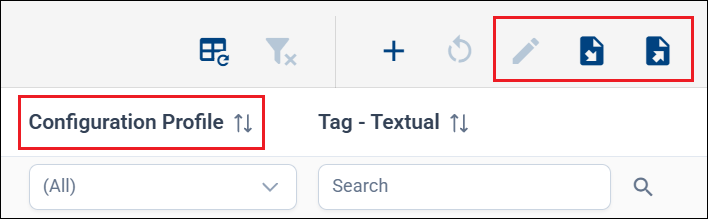
Devices can be managed in bulk directly from the Dashboard using Fields (displayed as table columns), Configuration Profiles, or by exporting and importing data using CSV files.
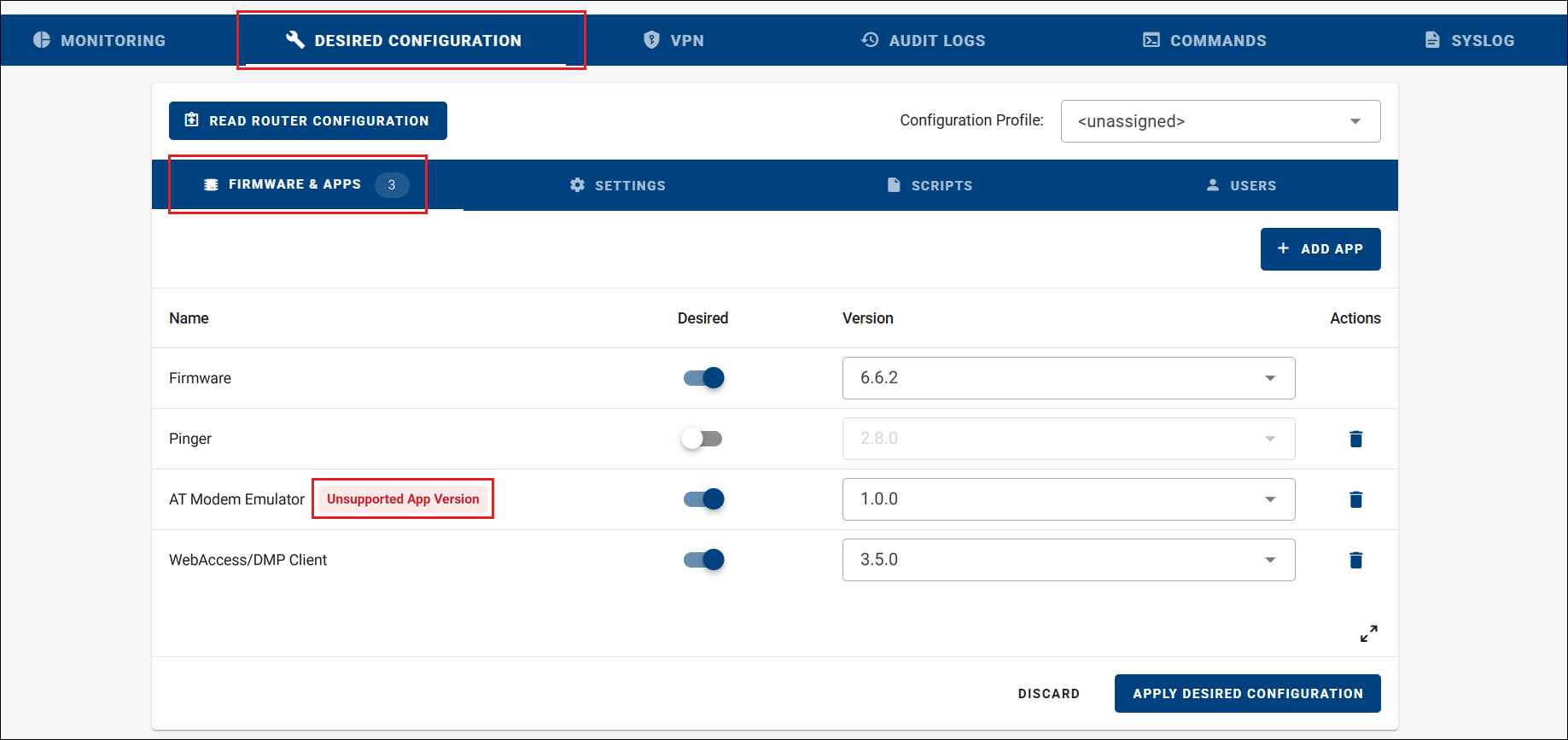
Individual devices can also be managed from their detail page using the Desired Configuration tab. Selected parameters can additionally be managed through Fields on the Monitoring tab. This view also helps identify unsupported or missing router applications.
In This Section
- DMP Client Router App — How the DMP Client Router App syncs configuration and how to remove it.
- Fields — What fields are, their categories, and how to create or remove them.
- Device Configuration — How to configure devices individually or in bulk using Configuration Profiles.
- Synchronization Policies — How to control when devices synchronize their configuration.
- CSV Import Guide — How to claim or update devices in bulk using CSV files.
- Commands — How commands are sent to devices and how their states work.
- Long Operations — How to track the progress of long-running batch operations.
- Router App Upload Requirements — Requirements for Router App archives uploaded to WebAccess/DMP.