
Appearance
Roadwarriors
A Roadwarrior (remote VPN user) is a VPN setup designed for mobile or remote users (Windows, Android, macOS, iOS, Linux, or any device where WireGuard can be installed). Unlike site-to-site VPNs, which connect fixed networks, a Roadwarrior configuration allows individual devices with dynamic IP addresses to securely access a private network over untrusted connections such as public Wi-Fi or mobile data.
This approach enables secure access to corporate resources, protects sensitive data, and ensures encrypted communication from virtually any location.
Managing Roadwarriors
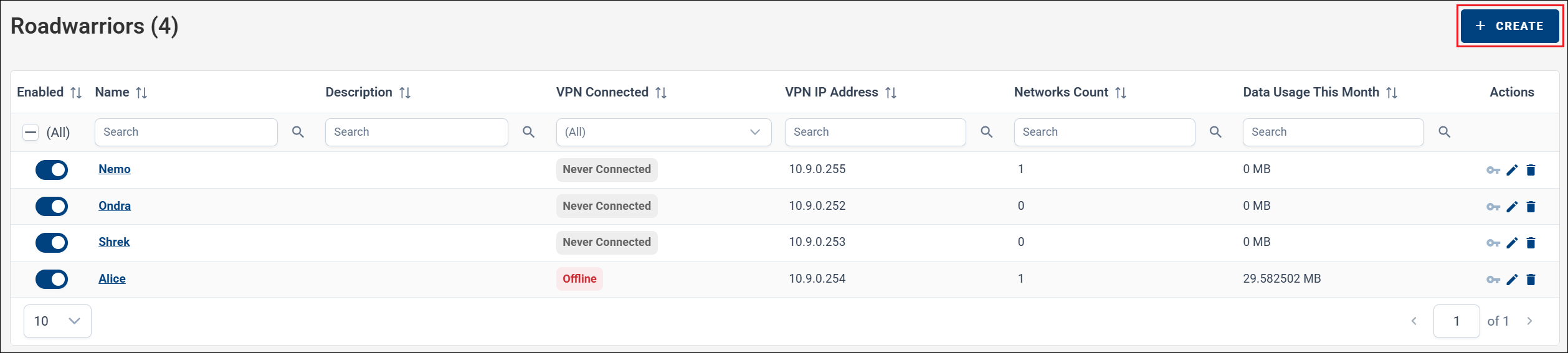
On the Roadwarriors page, you can manage VPN Roadwarriors for your company. Navigate to VPN → Roadwarriors in the menu, and click CREATE to add a new Roadwarrior.
Enter a name and description, then select the VPN networks the Roadwarrior should be part of.
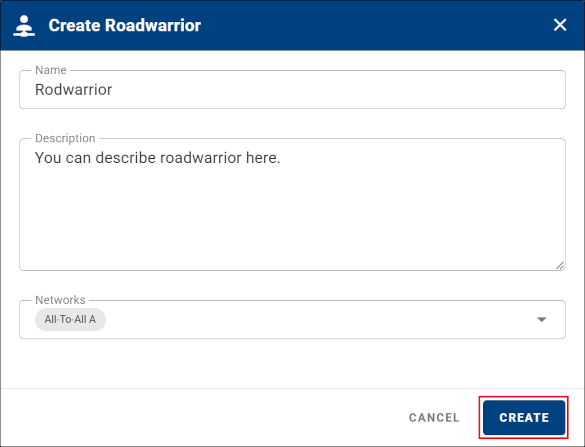
Click CREATE to confirm and create the Roadwarrior.
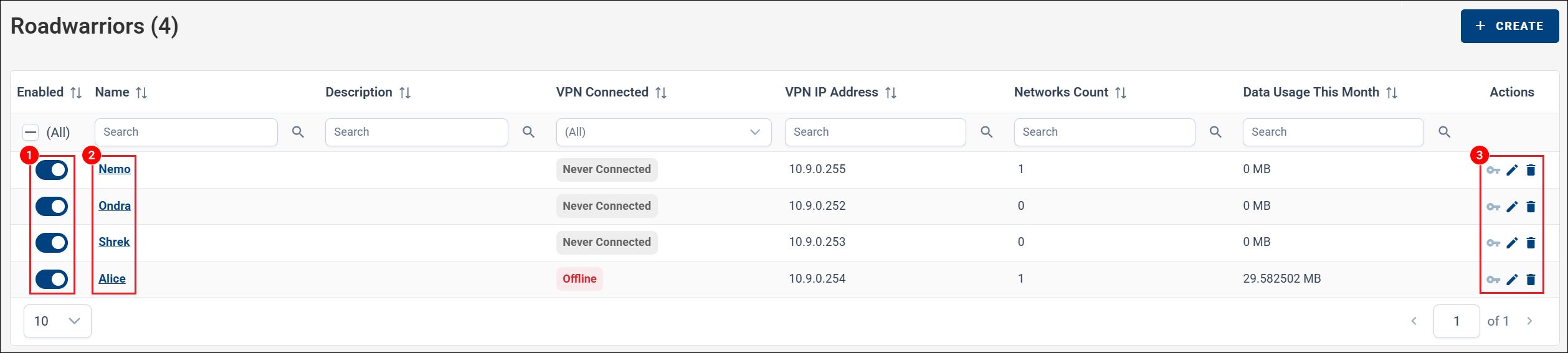
Once created, you can:
- Enable or disable the Roadwarrior using the toggle in the first column.
- Open the Roadwarrior details.
- Use the action menu on the right to edit or delete the entry.
Roadwarrior Details
Click the Roadwarrior name to open its detail page. From the detail view, you can:
- Edit the name, description, and network membership.
- Enable or disable the Roadwarrior.
- Delete the Roadwarrior.
- View Data Usage and Connection History.
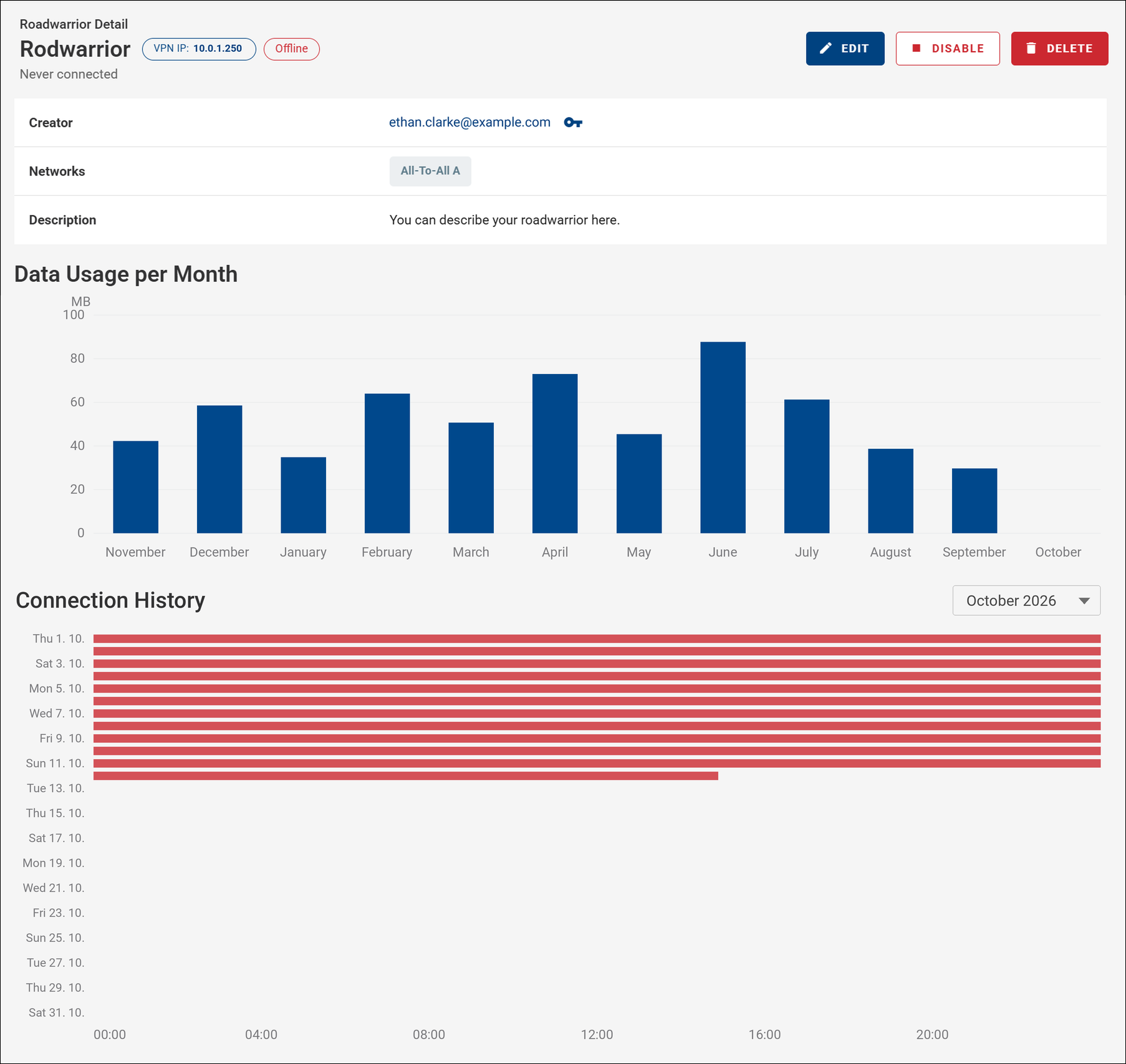
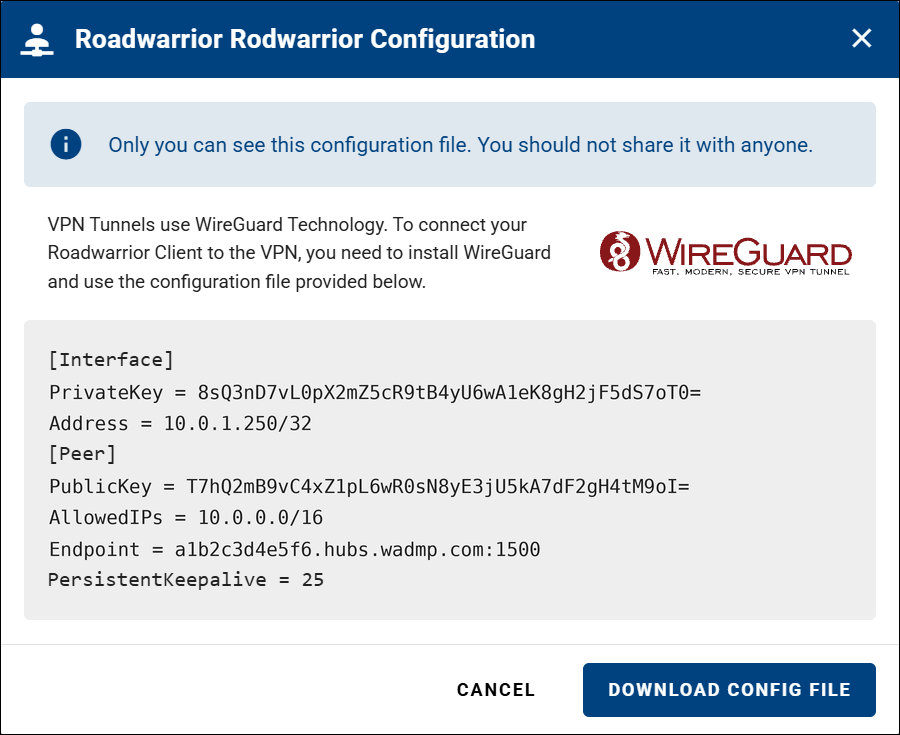
From the details page, you can also view, edit, or delete the WireGuard configuration. When viewing the configuration, a configuration form is displayed, and you can download it as a file by clicking DOWNLOAD CONFIG FILE.
Note
Only the creator of a Roadwarrior can view or download its WireGuard configuration.
If a Roadwarrior is left without an owner — for example, after its owning user is removed from the company — an email notification is sent to a company contact, indicating that the Roadwarrior is no longer owned and can be removed.