Appearance
Premium Features
With a Premium company, you can:
- Manage an unlimited number of devices (not limited to 5 devices).
- Create and manage rules in the Alerts section.
- Create and manage child companies.
- Use VPN without trial limits, including purchasing additional VPN data.
- Use Syslog to browse device logs and export diagnostics reports.
Upgrade to a Premium Company
Premium can be activated in two ways — standard invoice (SAP) billing, or prepaid credits. Both start the same way:
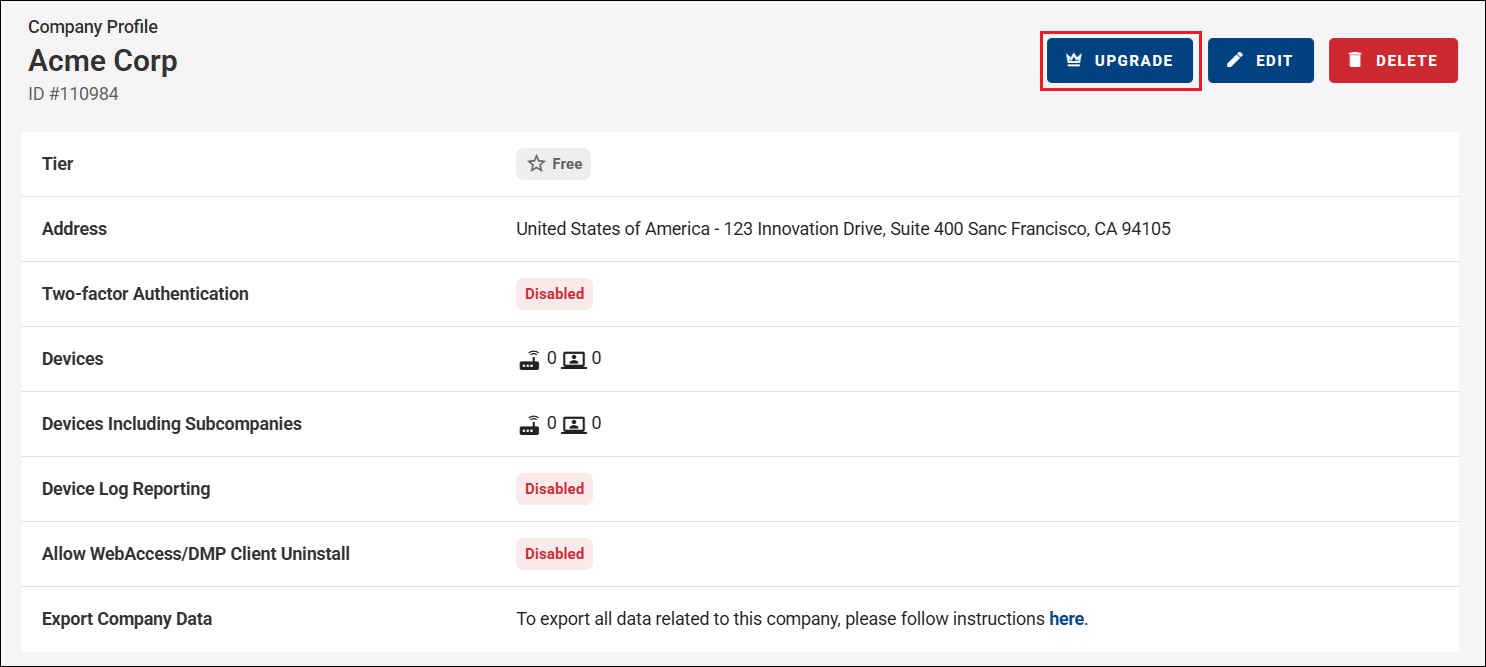
Open the Companies list from the context menu and select your Root Company.
In the company menu, click the crown icon labeled Upgrade.
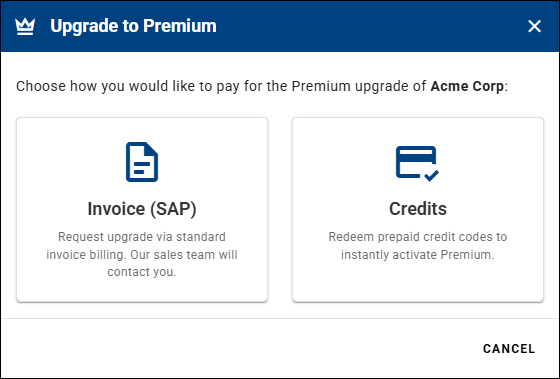
In the Upgrade to Premium dialog, choose how to pay for the upgrade:
- Invoice (SAP) — request the upgrade via standard invoice billing; the sales team will contact you.
- Credits — redeem prepaid credit codes to instantly activate Premium.
Invoice (SAP)
To upgrade via standard invoice billing, select Invoice (SAP). This opens the Request upgrade to Premium form.
Optionally, enter your company ERP ID. Otherwise, click Submit Request.
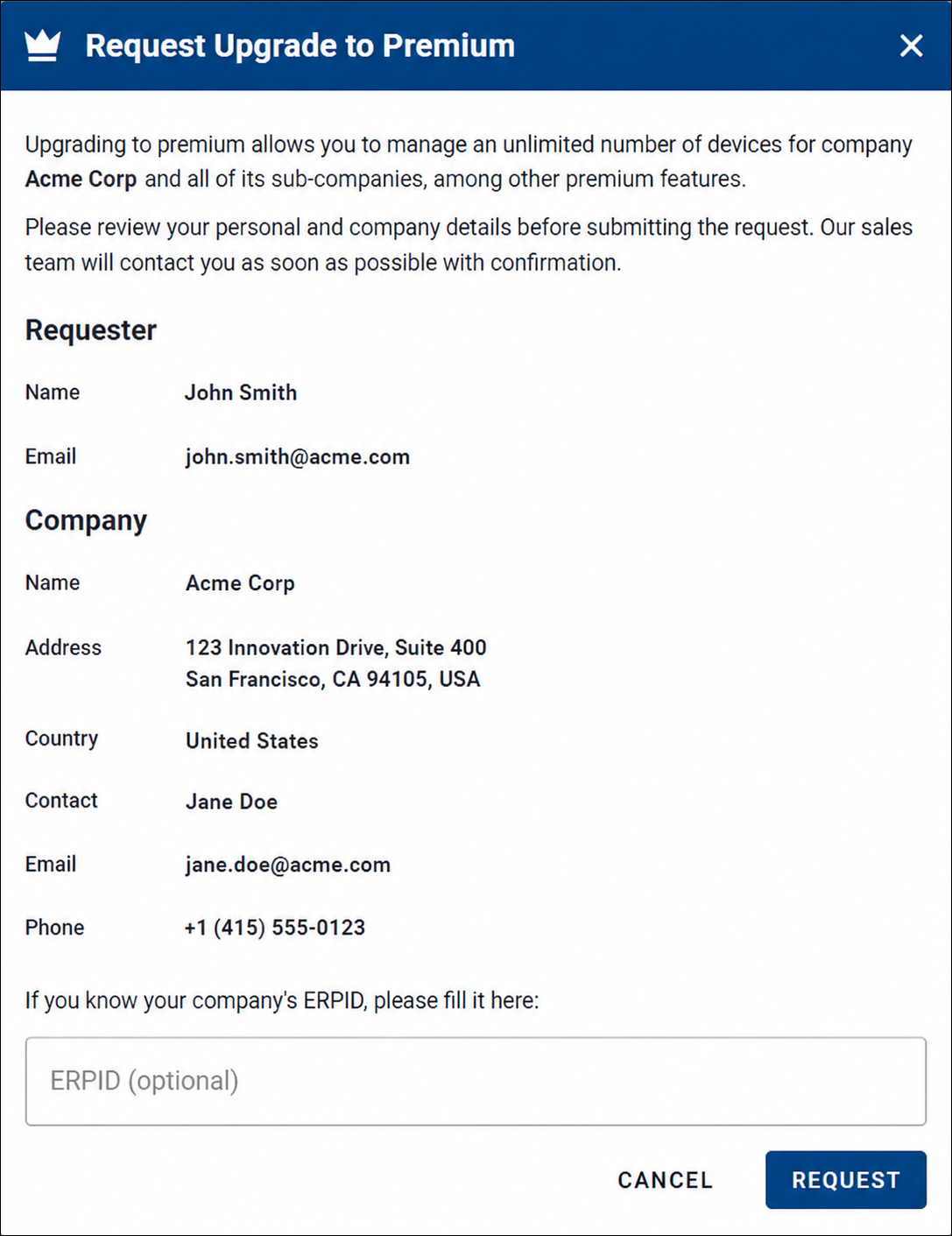
After submitting the request, an email is sent to the regional sales manager and a confirmation email is sent to you. The sales manager will contact you to discuss the upgrade details.
Credits (Credit-Based Company)
To upgrade using prepaid credits, select Credits. The Upgrade to Premium with Credits dialog opens.
- Enter a prepaid credit code and click Verify. The verified value is shown next to the code (for example, +38 cr.).
- Use Add another code to redeem several codes together. The Total credits from codes is shown at the bottom. All codes are redeemed together when the upgrade is requested — if the total is insufficient to upgrade, none are charged.
- Click Request Upgrade to confirm.
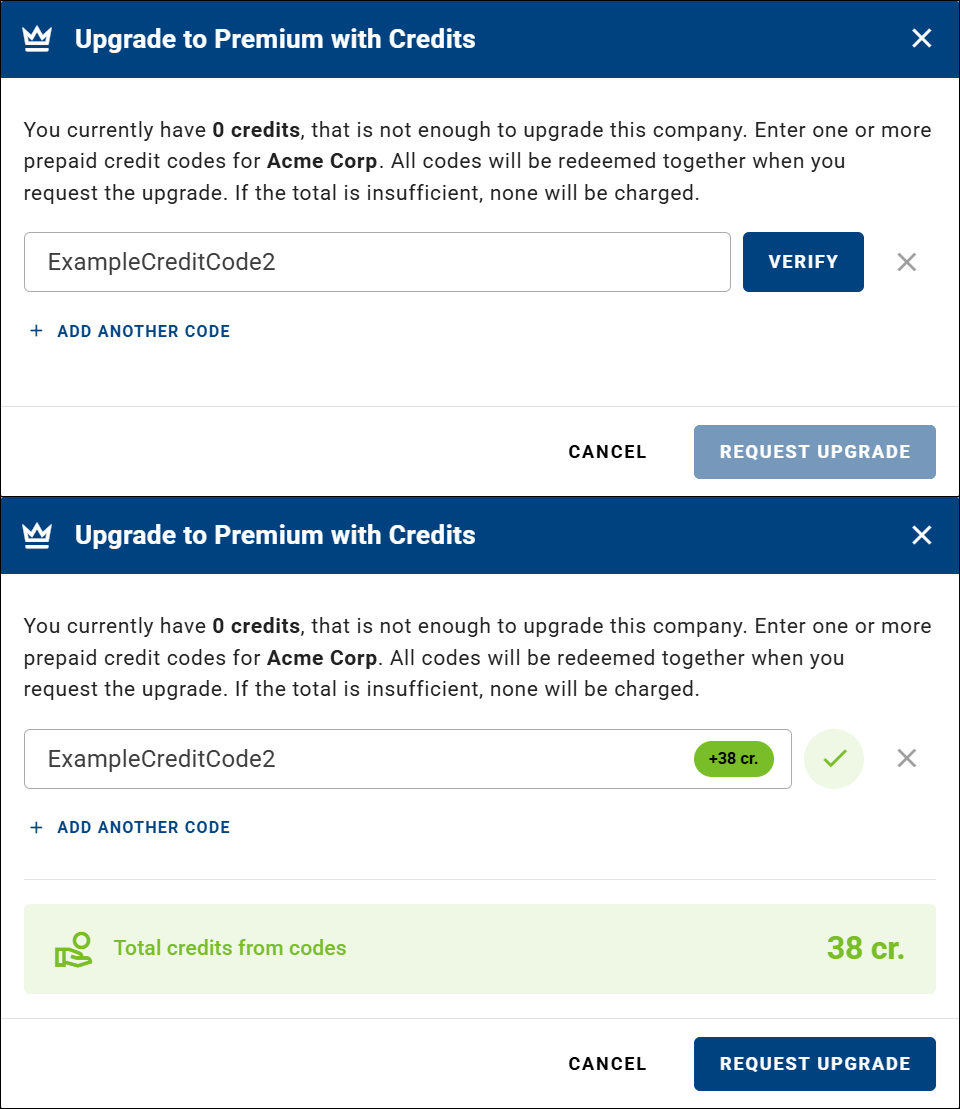
The company immediately becomes a credit-based Premium company — using the same Premium icon as an invoice-based company — starting with the credits from the redeemed codes.
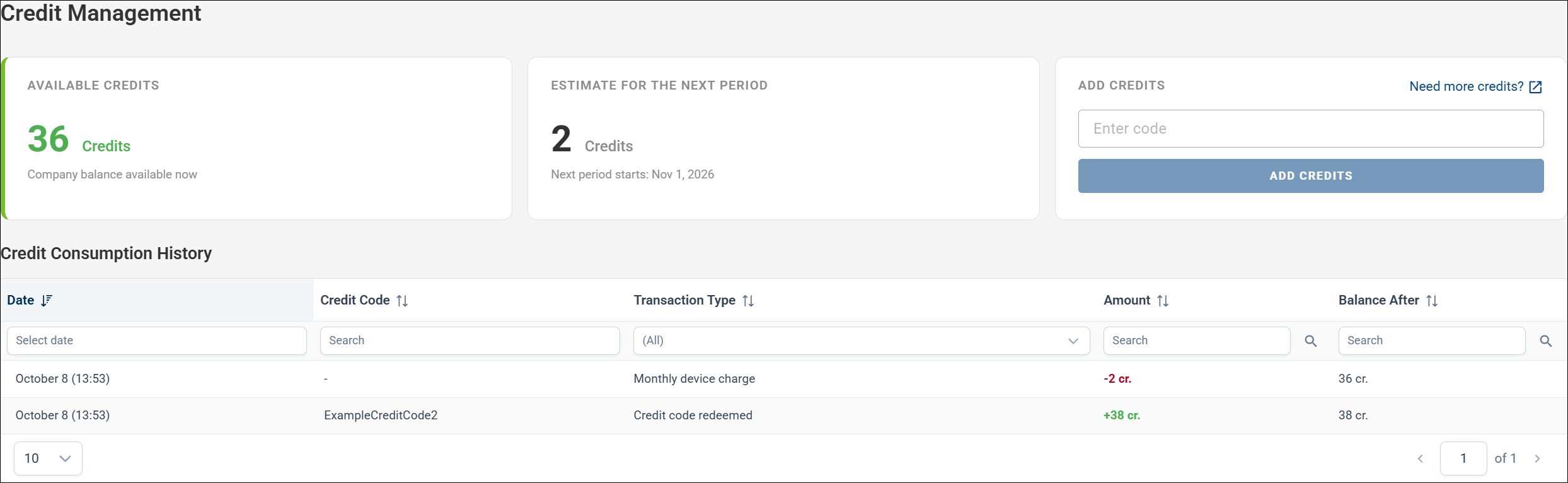
Credit-based billing is a pre-paid alternative to the standard invoice-based subscription: instead of monthly invoicing, the company runs on credits, which are topped up with a credit code and managed on the Credit Management page (Billing → Credit Management). For how credits work, see Billing.
Downgrade a Premium Company
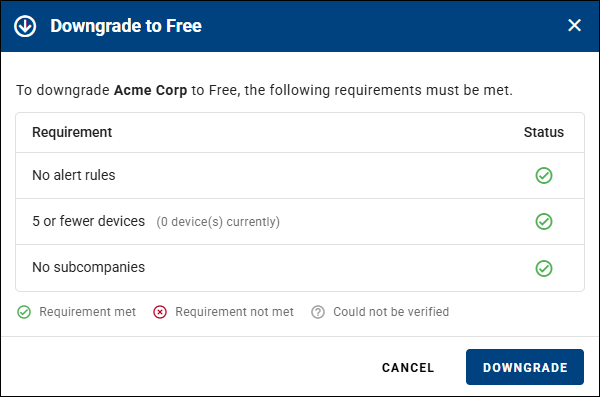
To downgrade a Premium company to Free, the following requirements must be met:
- No alert rules — delete all alert rules.
- 5 or fewer devices — reduce the number of devices to no more than 5. Roadwarriors count toward this device limit.
- No subcompanies — remove all child companies (only the Root Company may remain).
Clicking the downgrade action opens the Downgrade to Free dialog, which lists each requirement and its status. Downgrade becomes available only once all requirements are met; click it to switch the company to Free.