
Appearance
Dashboards & Widgets
On the Dashboard home page, you can create multiple views, which appear as tabs at the top of the page. Each view can contain different widgets such as charts, stats, and tables. You can also apply filters and save them as part of the view.
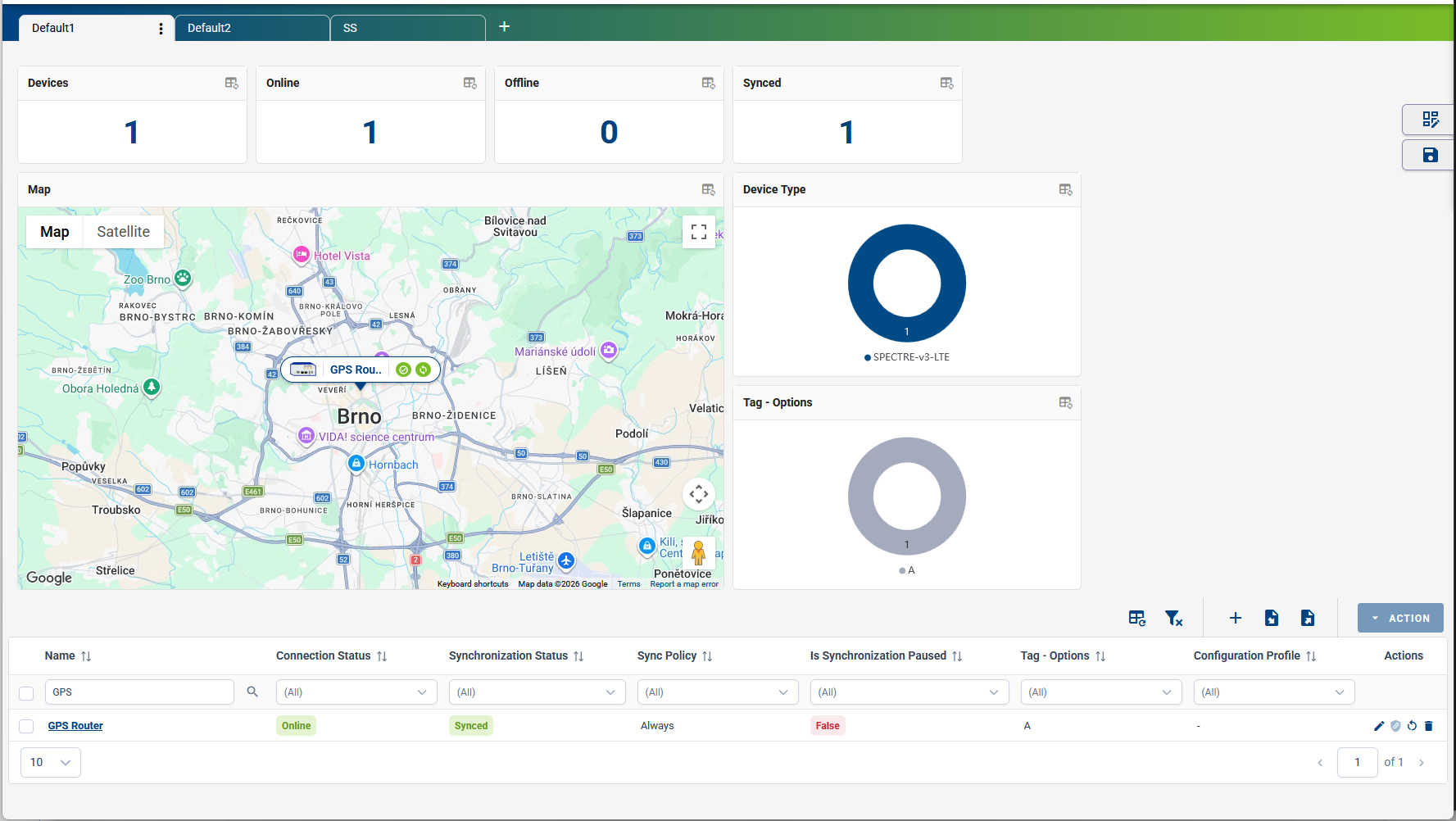
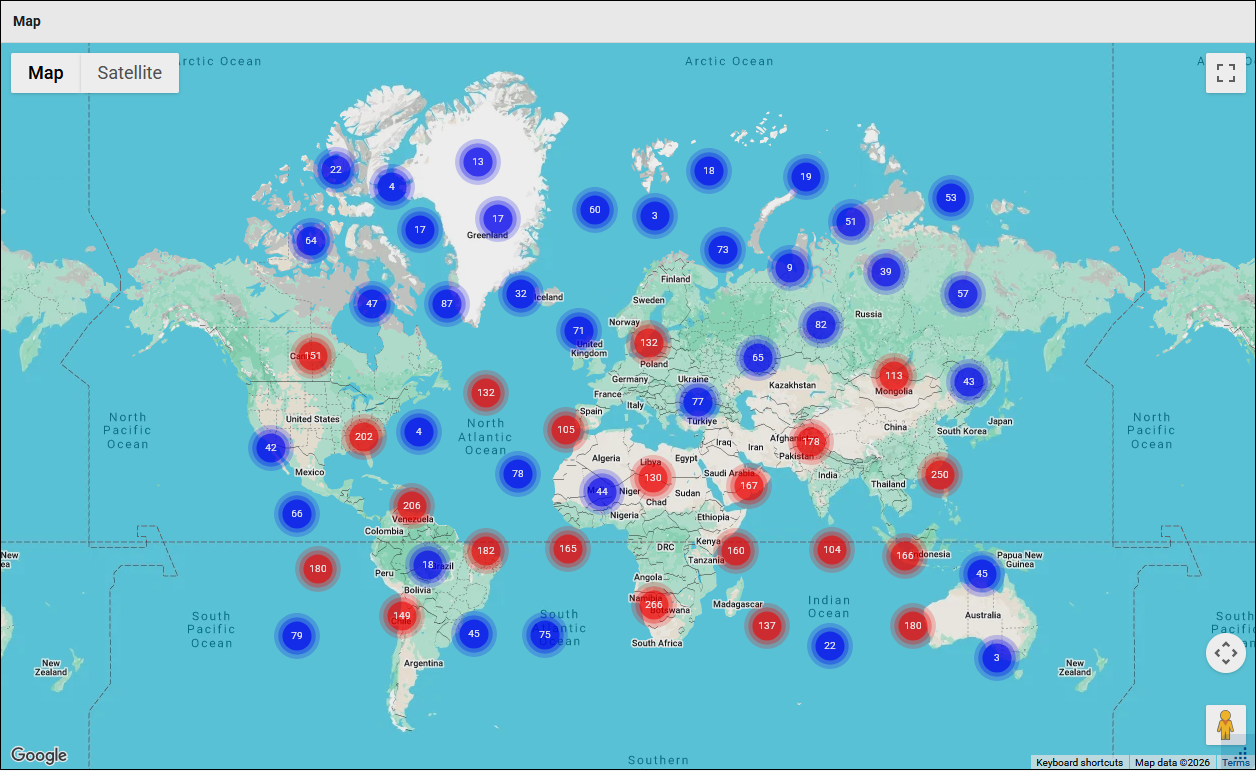
When managing a large number of devices, the map widget automatically groups devices into location clusters to improve readability. Markers show each device's status and name.
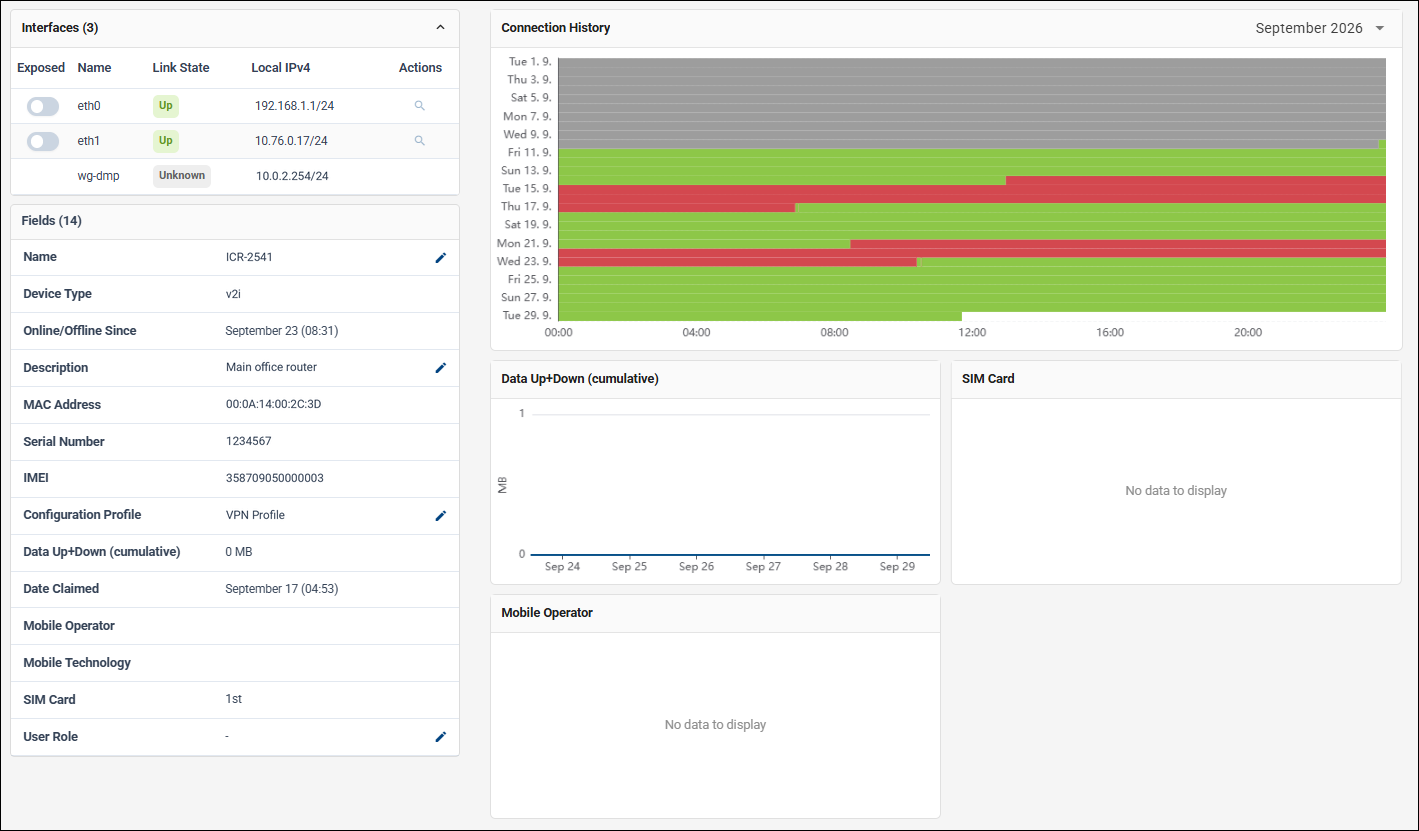
On the Device Detail page, a similar dashboard is available under the Monitoring tab. Here, you can:
- Add Fields as columns in the table.
- Add charts and statistics widgets.
The layout of this device-level dashboard is shared across all devices within the company. It acts as a template, defining which information is shown whenever any device detail page is opened.
In This Section
- Customization of Views — How to build and customize dashboard views, panels, filters, and table columns.
- Tips & Tricks — Practical tips for resizing widgets, tagging devices, and importing or exporting data.