Appearance
Networks
Devices and Roadwarriors (remote VPN users) must be added to the same VPN Network (group) to see and communicate with each other over VPN.
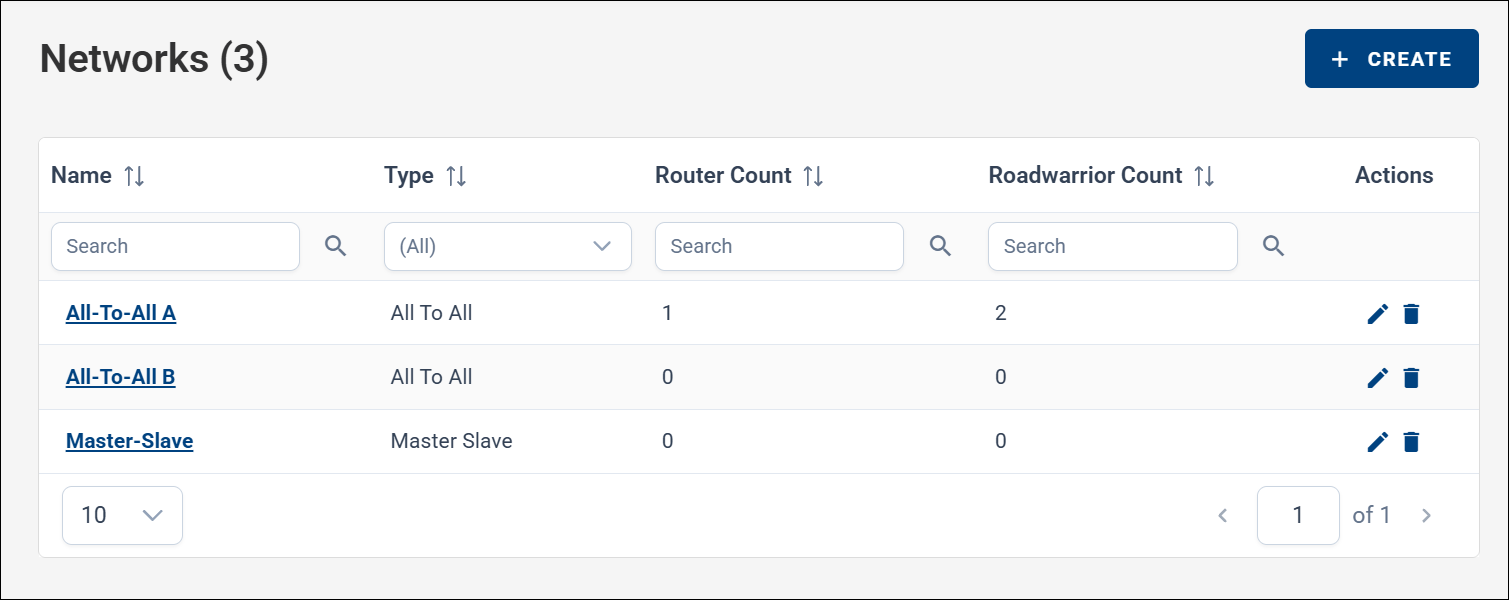
On the Networks page, you can manage VPN Networks (groups) for your company. Navigate to VPN → Networks in the menu, and click CREATE to add a new network.
When creating a network, you can choose between two network types. Tooltips with additional explanations are available via the small gray question-mark icons.
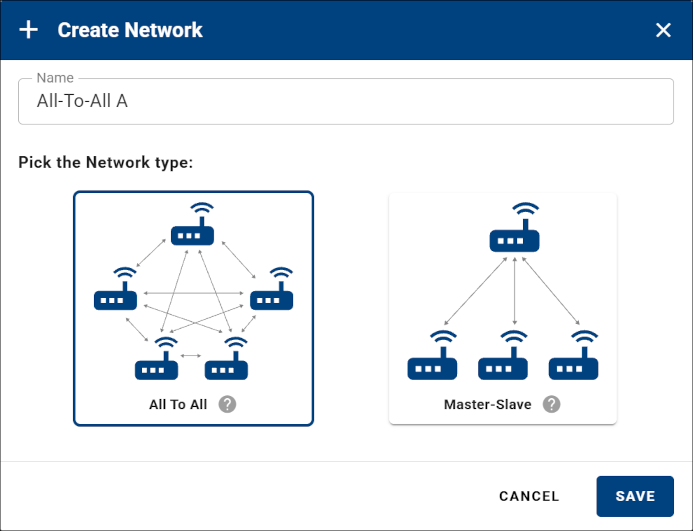
Network Types
The two network types differ only in how devices see each other. Roadwarriors behave the same way in both types.
| Network type | Device-to-device visibility |
|---|---|
| All-to-All | Every device sees and communicates with all other devices. |
| Master-to-Slave | The Master and all Slaves see each other; Slaves do not see other Slaves. |
In both network types, Roadwarriors have the same special role:
- They can see all devices in the network.
- Devices do not see Roadwarriors — a Roadwarrior must initiate communication.
- Roadwarriors do not see each other.
Managing a Network
After creating a network, you can enter it by clicking its name, or edit or delete it using the actions on the right side of the row.
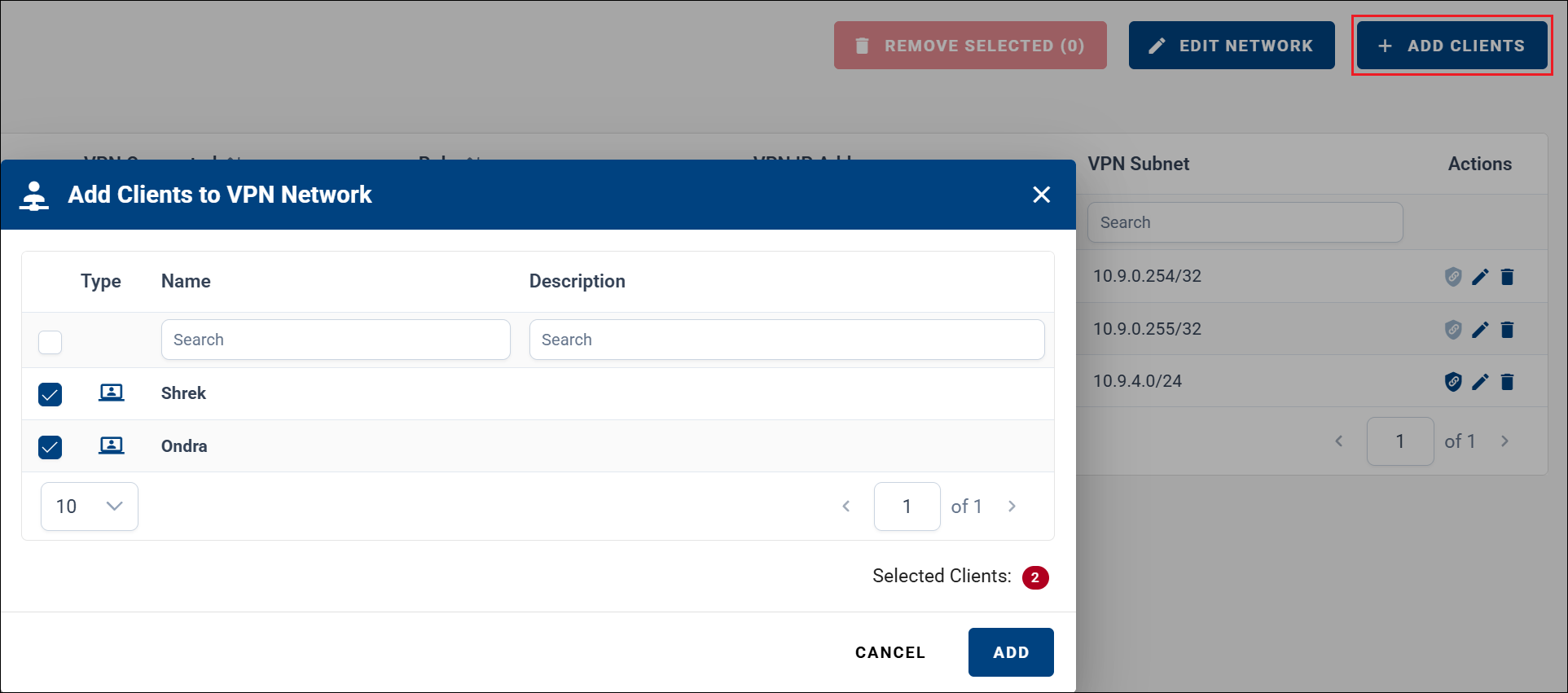
Inside a network, you can rename it using EDIT NETWORK, or add devices and Roadwarriors using ADD CLIENTS.
When adding clients, you can select all available devices or specific devices only. Roadwarriors can also be added using ADD CLIENTS.
Once devices are added, you can open a device by clicking its name, access its Proxy Link, edit its role, or remove it from the network.
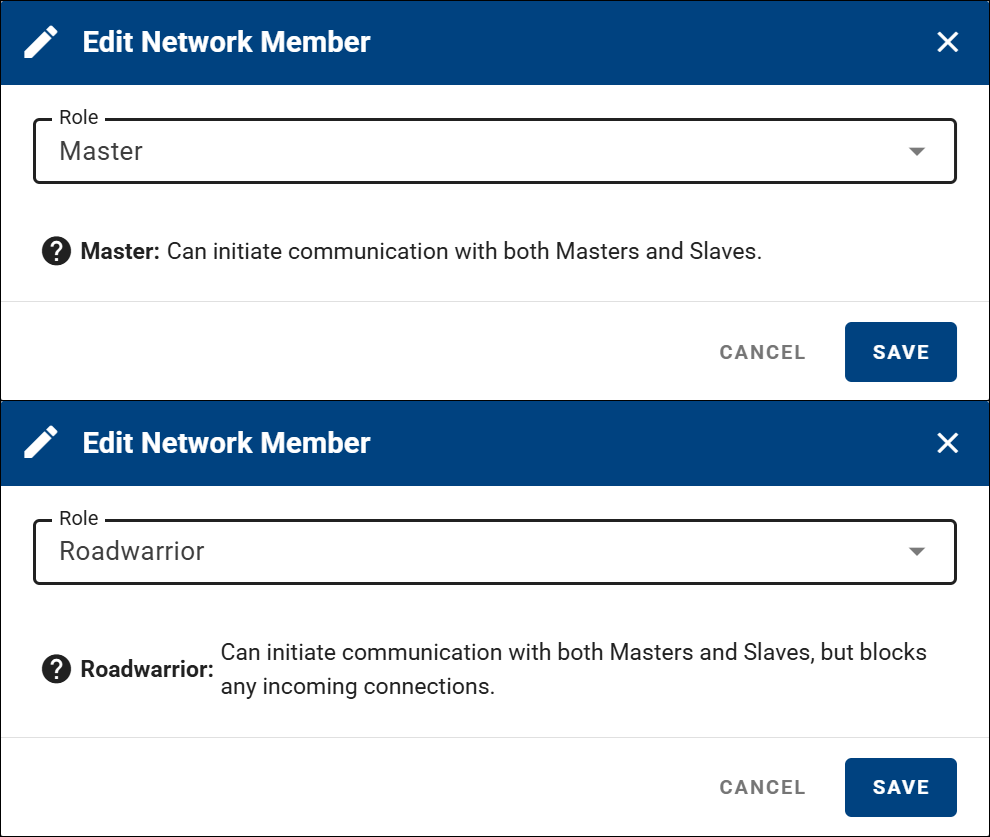
When editing a network member's role in the Edit Network Member dialog, you can set the role to Master or Slave (available only in Master-to-Slave networks). Since version 3.5.0, this also applies to Roadwarriors — a Roadwarrior can be assigned a Master or Slave role, making it reachable within the VPN network — and a router can be assigned a Roadwarrior network role.
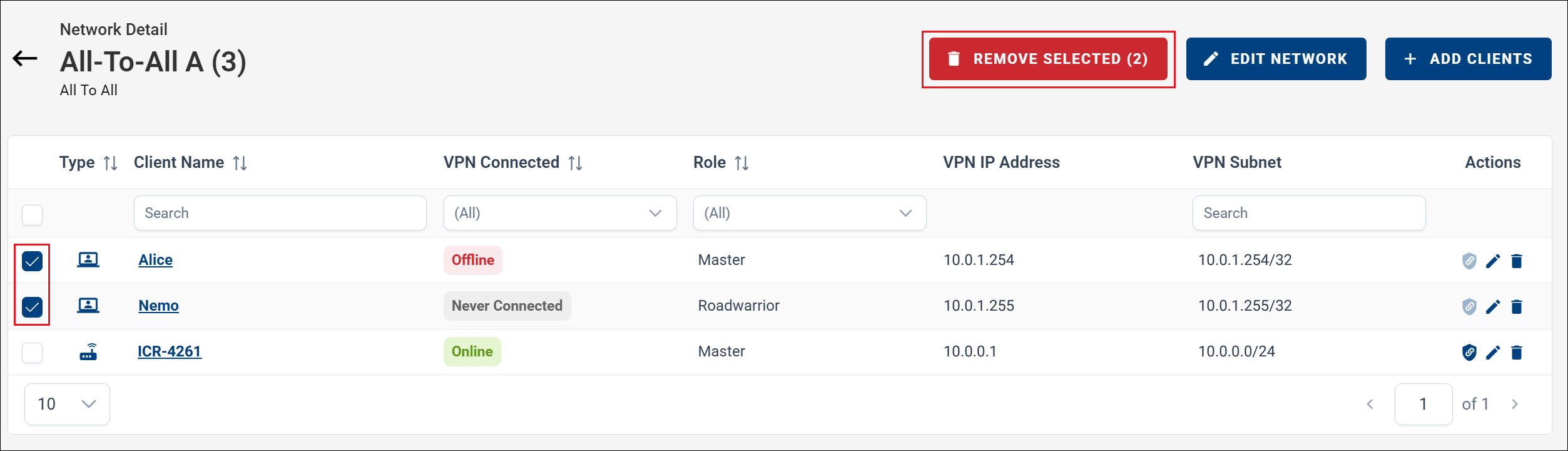
Removing Devices from a Network
To remove devices from a VPN network, open the network details and select the devices you want to remove. You can remove a selected subset or all devices in the network at once.